


How to Effectively Manage Project Planning and Scheduling for Success
Project planning and scheduling is essential for ensuring the smooth execution of any project. As a seasoned PMO manager, I have learned that there are specific strategies and tools that help in achieving project success. Here’s a guide to navigating the complexities of project planning and scheduling with practical examples, case studies, and interactive elements.
Start by setting clear objectives. Understanding what you want to achieve is crucial. For instance, if your goal is to launch a new product, specify the target market, budget, and timeline. This clarity will steer all planning efforts.
Gathering Requirements
Before diving into planning, gather all requirements from stakeholders. Conduct workshops or interviews to ensure that all voices are heard. Use a Requirements Traceability Matrix (RTM) to keep track.
| Requirement ID | Description | Owner | Status |
|---|---|---|---|
| REQ-001 | Market Analysis | Marketing | Complete |
| REQ-002 | Feature Specifications | Development | In Progress |
For instance, in a software development project, we had a feature request to integrate a payment gateway. By documenting this in our RTM, we ensured that the development team had clear guidance on what needed to be delivered.
Creating a Work Breakdown Structure (WBS)
Once requirements are gathered, develop a Work Breakdown Structure (WBS). This hierarchical decomposition of the project into smaller components makes it easier to estimate time and resources.
In a recent project, I created a WBS for a marketing campaign:
| WBS Level | Task | Duration |
|---|---|---|
| 1 | Campaign Launch | 4 weeks |
| 1.1 | Market Research | 1 week |
| 1.2 | Creative Development | 2 weeks |
| 1.3 | Channel Selection | 1 week |
This helped in visualizing the project scope and distributing tasks effectively.
Estimating Resources and Time
Effective resource and time estimation can significantly impact project success. One approach is to use historical data to forecast risks and resource allocation more accurately. For instance, if a previous project took longer to acquire resources due to delays in approvals, take this into account for future projects.
Utilizing project management tools like Asana can also streamline this process. These tools help in visualizing timelines and ensuring everyone knows their responsibilities.
Developing the Schedule
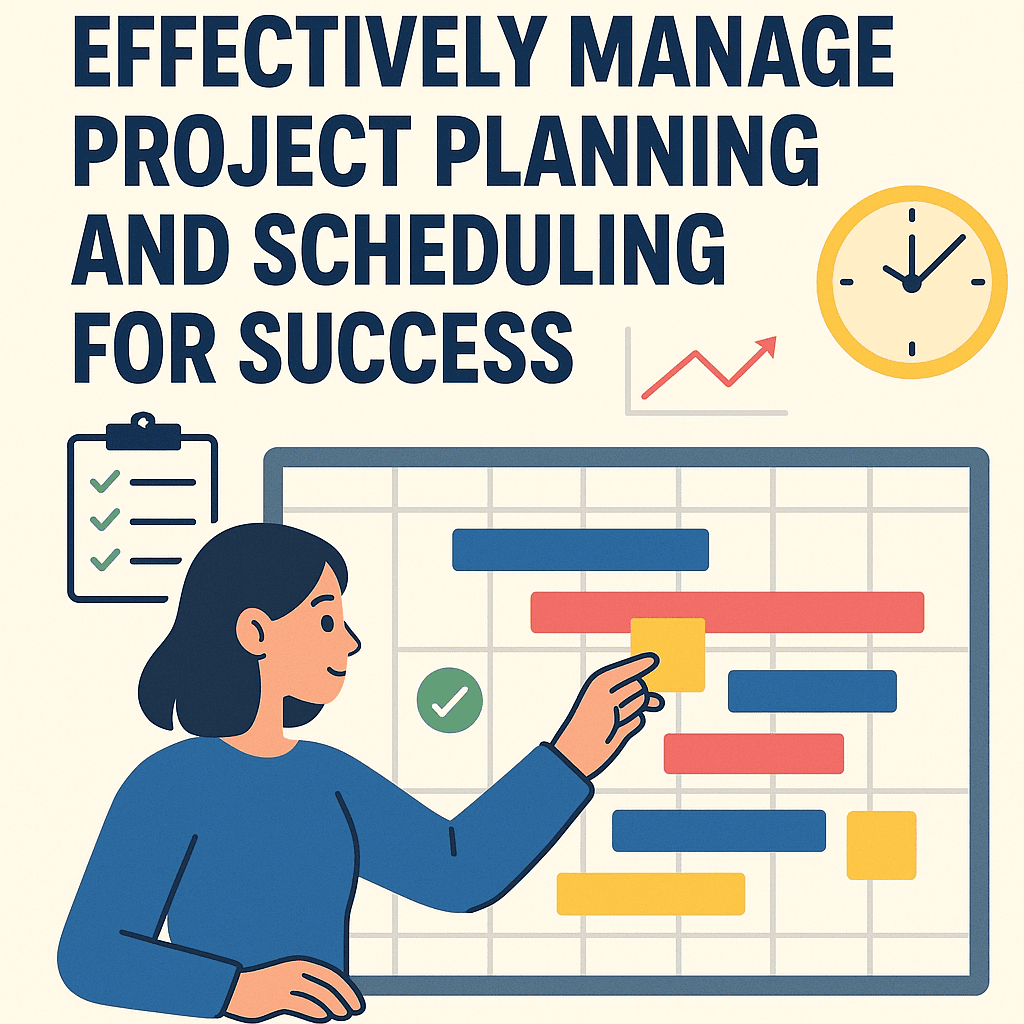
Once you have your tasks defined and resources allocated, creating the schedule is the next step. A Gantt chart is a useful tool here to visualize task timelines and dependencies.
Here’s a simplified version of a Gantt chart for our marketing campaign:
| Task | Start Date | End Date |
|---|---|---|
| Market Research | Week 1 | Week 1 |
| Creative Development | Week 2 | Week 3 |
| Channel Selection | Week 4 | Week 4 |
| Campaign Launch | Week 5 | Week 5 |
Using a tool like Microsoft Project can make this even easier, as it allows team members to see progress and deadlines at a glance.
Monitoring Progress
Continuous monitoring is vital. Implement regular check-ins and update meetings to see how the project aligns with the planned schedule. Use tools like Trello for real-time updates and collaboration.
For example, in managing a remote team during a recent website redesign, we used Trello boards for task assignments, which allowed everyone to see what was done and what was pending.
Adapting to Changes
Be prepared to adapt your plans when unexpected issues arise. Flexibility can be a game-changer. Create a change management plan to address how changes will be handled and communicated. A real-life example involved a change in market conditions that required us to pivot our marketing strategy mid-campaign. By following our change management process, we could adjust swiftly without derailing the project.
Case Study: Successful Project Execution
Let’s consider a small case study illustrating effective project planning and scheduling for a company launching a new e-commerce platform.
Project Overview:
- Objective: Launch a new e-commerce site
- Duration: 3 months
- Key Stakeholders: Product managers, IT team, marketing department
Steps Taken:
- Requirement Gathering: Conducted interviews with stakeholders, documented all requirements in an RTM.
- WBS Creation: Developed a detailed WBS breaking down the project into manageable tasks.
- Resource Estimation: Analyzed past projects to estimate time needed for website development.
- Scheduling: Created a Gantt chart that outlined each phase of the project.
- Monitoring: Held bi-weekly check-ins to monitor progress and adjust as necessary.
- Adaptation: Adjusted marketing strategy based on real-time feedback from user testing.
Outcome:
The e-commerce site launched successfully on time and within budget.
FAQs
What tools should I use for project planning?
It depends on your needs. Tools like Trello, Asana, and Microsoft Project are excellent for visualizing tasks and timelines.
How do I handle scope changes?
Implement a change management process. Ensure stakeholders are informed and that you have a plan in place to assess the impact on timelines and resources.
How often should I update my project plan?
Regular updates, at least bi-weekly or after major milestones, ensure that everyone is aligned and aware of changes.
Is it necessary to have a WBS for every project?
While not mandatory, a WBS is highly beneficial, especially for complex projects. It helps in organizing tasks and better managing resources.
Effective project planning and scheduling aren’t just about creating timelines; they’re about ensuring every team member understands their role and responsibilities. By employing structured processes, leveraging the right tools, and maintaining open communication, you can drive your project to successful completion. 🚀