
Mastering Primavera P6: Essential Tips for Project Management Success
As an experienced user of Primavera P6, I’ve seen how this powerful project management tool can streamline processes and enhance project visibility. Whether you’re a seasoned project manager or just diving into P6, there are some essential tips that can elevate your project management game. Let’s explore some tips and strategies that can help you utilize Primavera P6 effectively.
Understanding the Interface
The first step to mastering Primavera P6 is getting comfortable with its interface. At first glance, it can seem overwhelming, but with familiarity, you can navigate it with ease.
For instance, the Activity Table is your starting point. Here, you can input all your project activities, define durations, assign resources, and set constraints. Make sure to customize the columns displayed to suit your project needs. Remove columns you don’t need to declutter the view.
Example: If your project requires tracking costs, add cost-related columns such as Budgeted Cost and Actual Cost.
Creating a Work Breakdown Structure (WBS)
A well-structured Work Breakdown Structure (WBS) is essential for project success. The WBS breaks down your project into manageable sections.
In Primavera P6, you can create your WBS easily by:
- Go to the WBS tab.
- Click on Add to introduce your project phases.
- Use Indent and Outdent to organize your tasks hierarchically.
Case Study: A construction project involved creating a WBS that outlined pre-construction, construction, and post-construction phases. Each phase had sub-tasks, allowing for detailed tracking and clarity in responsibilities.
Scheduling Your Project Effectively
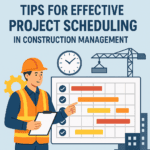
Scheduling is where Primavera P6 shines. The software allows you to set start and finish dates based on task dependencies, helping you visualize the project timeline better.
Prioritize tasks with proper relationships (Finish-to-Start, Start-to-Start, etc.). Use the Gantt Chart to get a visual sense of your schedule. Adjust tasks based on the critical path to ensure timely project delivery.
Tip: Utilize the “Schedule” button to refresh your project timeline whenever adjustments are made.
Resource Management
Effective resource management is crucial for project success. Primavera P6 helps you allocate resources to tasks and manage workload. Regularly review the Resource Usage view to identify any over-allocated resources.
Example: If a team member is working on multiple tasks, you might notice workload conflicts, leading to project delays. Adjust their assignments or redistribute tasks among other team members.
Monitor Progress with Earned Value Management (EVM)
Tracking project performance is key for ensuring project goals are met. By implementing Earned Value Management (EVM), you can compare planned versus actual performance.
Use the following metrics:
- Planned Value (PV)
- Earned Value (EV)
- Actual Cost (AC)
Tip: A simple formula to remember is the Cost Performance Index (CPI) = EV / AC.
This approach can illuminate whether or not you are under budget and ahead of schedule, making adjustments necessary.
Customizing Reports
Primavera P6 offers versatile reporting features. Take advantage of this by creating custom reports that cater to your project’s needs.
You can do this from the Reports tab:
- Select the report type (Activity, Resource, etc.).
- Customize filters based on dates, resources, or status.
- Save report templates for future use.
Example: Create a “Weekly Progress Report” to share with your team and stakeholders every Friday—a practice that keeps everyone aligned on objectives.
Integrating with Other Tools
Primavera P6 can integrate seamlessly with other tools like Excel for advanced data manipulation. Often, teams export reports to Excel for in-depth analysis or presentations.
Tip: Use the “Export” functionality in Primavera P6, then select Excel as your format.
Engaging Your Team
Getting buy-in from your team is essential. Encourage them to utilize P6 effectively through training or by sharing tips and best practices. Regularly schedule short workshops to introduce new features or demonstrate best practices.
Emojis for Engagement:😊👥
Keeping Your Project Database Organized
Maintain an organized project database by regularly archiving completed projects. This not only keeps your current workspace clean but also allows easy retrieval of past project data.
Tip: Document lessons learned in a project file as each phase concludes, keeping knowledge accessible for future endeavors.
Utilizing Templates and Services
Primavera P6 templates can vastly speed up project setup and execution. There are numerous templates available that cater to various industries, such as construction, IT, and manufacturing. Explore available Primavera P6 templates for enhanced efficiency.
External Support
When you face challenges, don’t hesitate to seek help. There are various Primavera P6 services that you can leverage. Consulting services or online tutorials can provide insights to utilize the software better than ever.
Conclusion
Mastering Primavera P6 comes down to using its vast features to enhance project planning, execution, and reporting. By adopting these strategies, you can streamline your project management practices and set the stage for successful project completion.
Frequently Asked Questions (FAQs)
1. What are the main features of Primavera P6?
Primavera P6 provides project scheduling, resource management, budget tracking, and reporting capabilities, among others.
2. How can I improve my scheduling skills using Primavera P6?
Focus on understanding task dependencies, utilizing the Gantt Chart effectively, and regularly updating your schedule as the project progresses.
3. Where can I access Primavera P6 templates?
You can find various templates on websites like this one that cater to different industries.
4. What is Earned Value Management?
EVM is a project performance measurement technique that helps you evaluate project performance using metrics like Planned Value, Earned Value, and Actual Cost.
5. Are there any training resources for Primavera P6?
Yes! Numerous online courses and tutorials are available to help you learn Primavera P6 effectively. Explore options on sites like LinkedIn Learning.
By following these tips and leveraging the potential of Primavera P6, you can enhance your project management capacity, leading to successful project delivery every time. Happy managing! 🚀