Mastering Primavera P6: Essential Tips for Efficient Project Management
Being an experienced Primavera P6 engineer, I’ve seen how crucial this tool is for managing complex projects. There’s a wealth of features to explore that can dramatically increase efficiency and accuracy in project management. Let me share my insights and some useful strategies to help you master Primavera P6.
One of the first things you notice when using Primavera P6 is its user interface. It’s a bit complex at first, but don’t let that overwhelm you! Familiarize yourself with the layout—understanding where everything is can save you a lot of time. Let’s break down some essential tips.
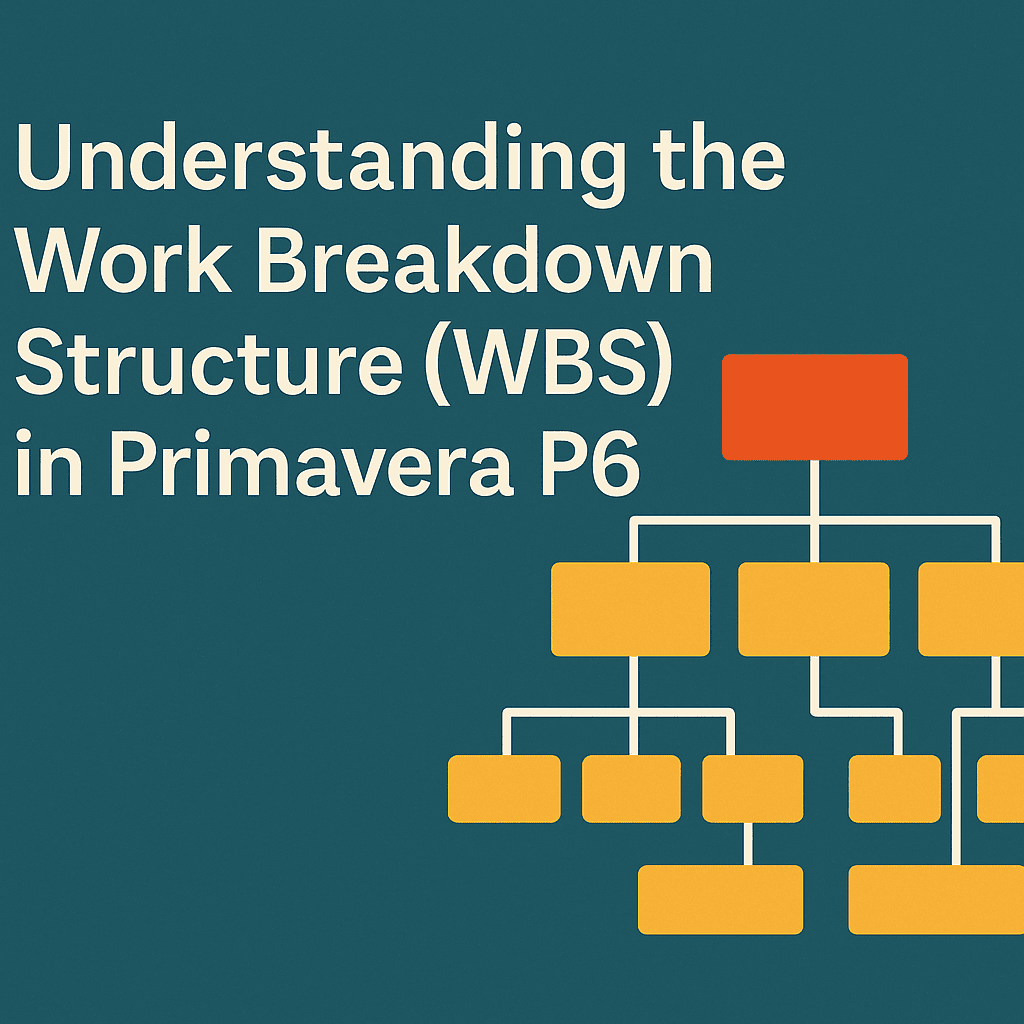
Understanding Work Breakdown Structure (WBS)
The Work Breakdown Structure (WBS) is the backbone of your project. It organizes your tasks in a hierarchical manner. Here’s how to create an effective WBS:
- Define High-Level Deliverables: Start with major phases.
- Break Down Tasks: Divide phases into manageable tasks.
- Assign Responsibilities: Assign team members to specific tasks.
Example Case Study:
Let’s say you’re managing a construction project. Your WBS might look like this:
| Level | Task | Responsibility |
|---|---|---|
| 1 | Building Construction | Project Manager |
| 1.1 | Foundation | Civil Engineer |
| 1.2 | Framing | Contractor |
| 1.3 | Roofing | Subcontractor |
By breaking down your project into smaller parts, it’s easier to manage timelines and resources.
Utilizing the Planning Tools
Primavera P6 offers various planning tools that allow you to streamline your workflow. Two of these tools worth knowing are:
- Gantt Chart: Provides a visual timeline of your project, showing task duration and dependencies.
- Activity Network Diagram: Depicts how tasks are interconnected, offering a clear view of the project flow.
By utilizing these tools, you can identify potential bottlenecks before they become real issues.
Let me give you an example. Suppose you notice a delay in the foundation tasks, using the Gantt chart, you can easily reschedule related tasks to avoid impacting the overall timeline.
Resource Management
Managing resources is pivotal for keeping a project on track. Primavera P6 allows you to allocate resources efficiently. Here’s how:
- Define Resources: Specify labor, equipment, and materials needed.
- Allocate Resources: Ensure you’re not over-allocating resources. Use the resource histogram to visualize allocation.
A useful tip is to create a resource pool for similar projects. This way, you can reuse resources from previous projects, saving you time and effort.
Baselines and Tracking Progress
Creating a baseline is crucial for measuring performance against initial plans. It acts as your project’s roadmap. Here’s how to set it up:
- Save the Current Schedule as a Baseline: Once your planning phase is complete, save it.
- Monitor Progress: Regularly compare the current schedule against the baseline.
For instance, if you initially estimated that the roofing would take three weeks, and it now seems extended beyond that, it’s essential to recalibrate your planning.
Integrating Earned Value Management (EVM)
If you’re looking to evaluate project performance, integrating Earned Value Management (EVM) in Primavera P6 is a game-changer.
EVM helps in measuring project performance by comparing planned progress with actual progress. You can analyze key metrics like Cost Performance Index (CPI) and Schedule Performance Index (SPI).
For instance, if your scheduled tasks show an SPI of less than one, it signals that the project is behind schedule. You can then take targeted actions to remedy these delays.
Collaboration Features
One of the most outstanding aspects of Primavera P6 is its collaborative features. By enabling your team members to update tasks and timelines, everyone stays on the same page.
Load Sharing
Sharing load among team members can significantly speed up task completion times. For example, if one member is overloaded, you can redistribute tasks to balance the workload.
Continuous Learning
To truly master Primavera P6, you need to commit to continuous learning. The platform frequently updates its features, and staying updated ensures you’re using it to its full potential. Explore the wide range of Primavera P6 tutorials, webinars, and forums. Engaging with other users can offer fresh insights and tips.
Final Thoughts
Mastering Primavera P6 requires practice, patience, and exploration. By applying these tips, you’ll see improved efficiency and better project outcomes. Share your experiences, continuously learn, and don’t hesitate to utilize community resources to support your project goals.
FAQs
1. What is Primavera P6?
Primavera P6 is a project management software used to manage large-scale and complex projects by providing tools for planning, scheduling, and resource management.
2. How do I create a new project in Primavera P6?
To create a new project, go to the “Project” menu, select “Add Project,” and fill out the required fields such as project name and start date.
3. Can I customize reports in Primavera P6?
Yes, Primavera P6 allows users to customize reports according to their needs, including Gantt charts, resource allocation reports, and more.
4. Where can I find Primavera P6 templates?
You can find a variety of Primavera P6 templates here.
5. How can I learn more about Primavera P6?
Look for online courses, tutorials, and join forums. You can even check out Primavera P6 services.
By implementing these strategies, you can enhance your project management skills and make the most of Primavera P6. Good luck, and happy planning! 😊